

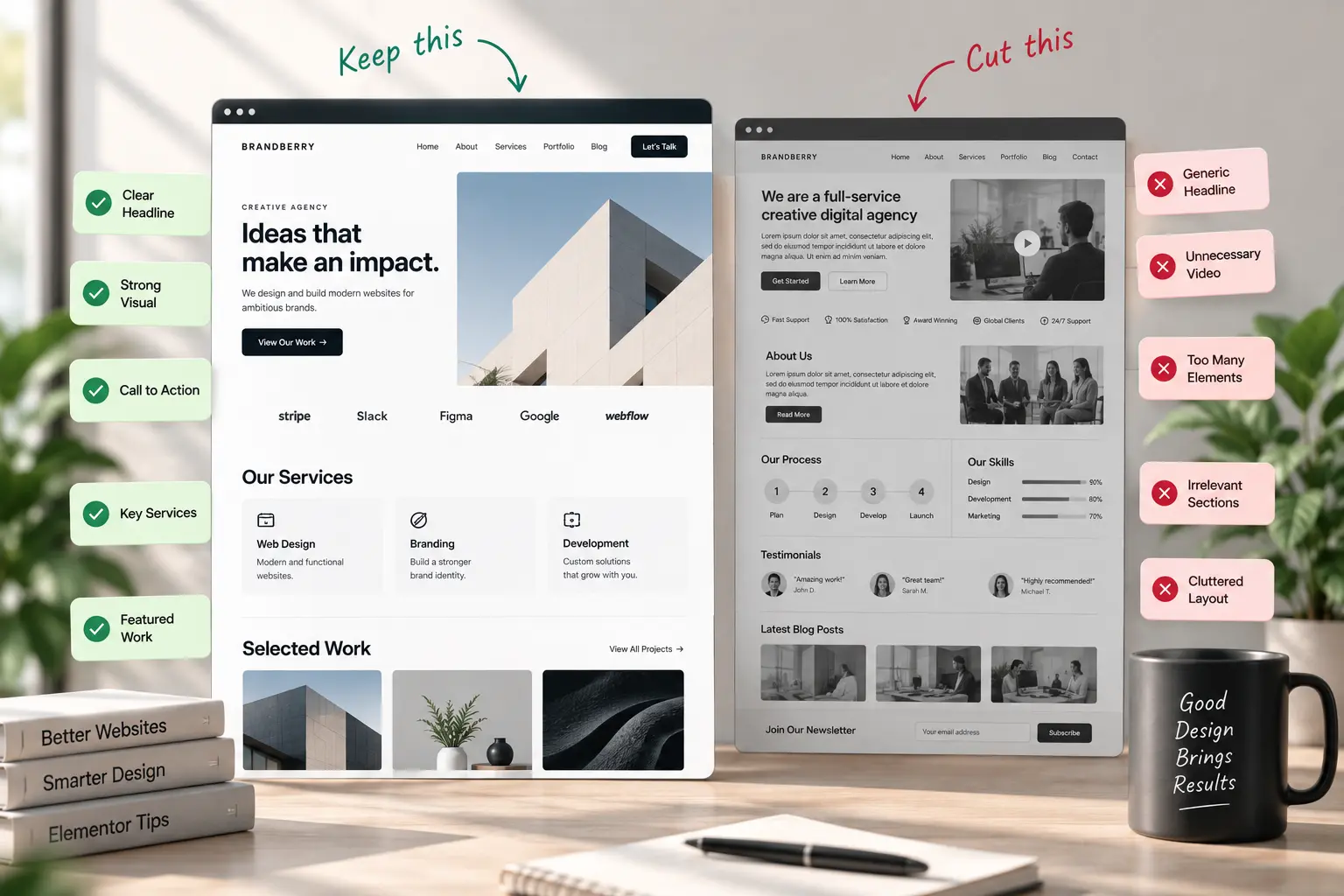
A homepage in Elementor is often a demo hero, a logo row, four icon boxes, and a blog grid the client will never write for. It looks finished. It does not tell a visitor what to do. The page has one job: name the offer and send people to work, shop, or contact. Everything else is optional.
This is a practical homepage structure for Elementor marketing sites. It is not a branding pass—that order is in customizing a theme demo. If the whole site is one long scroll, read one-page vs multi-page first; the blocks below still apply.
Blocks that earn a place
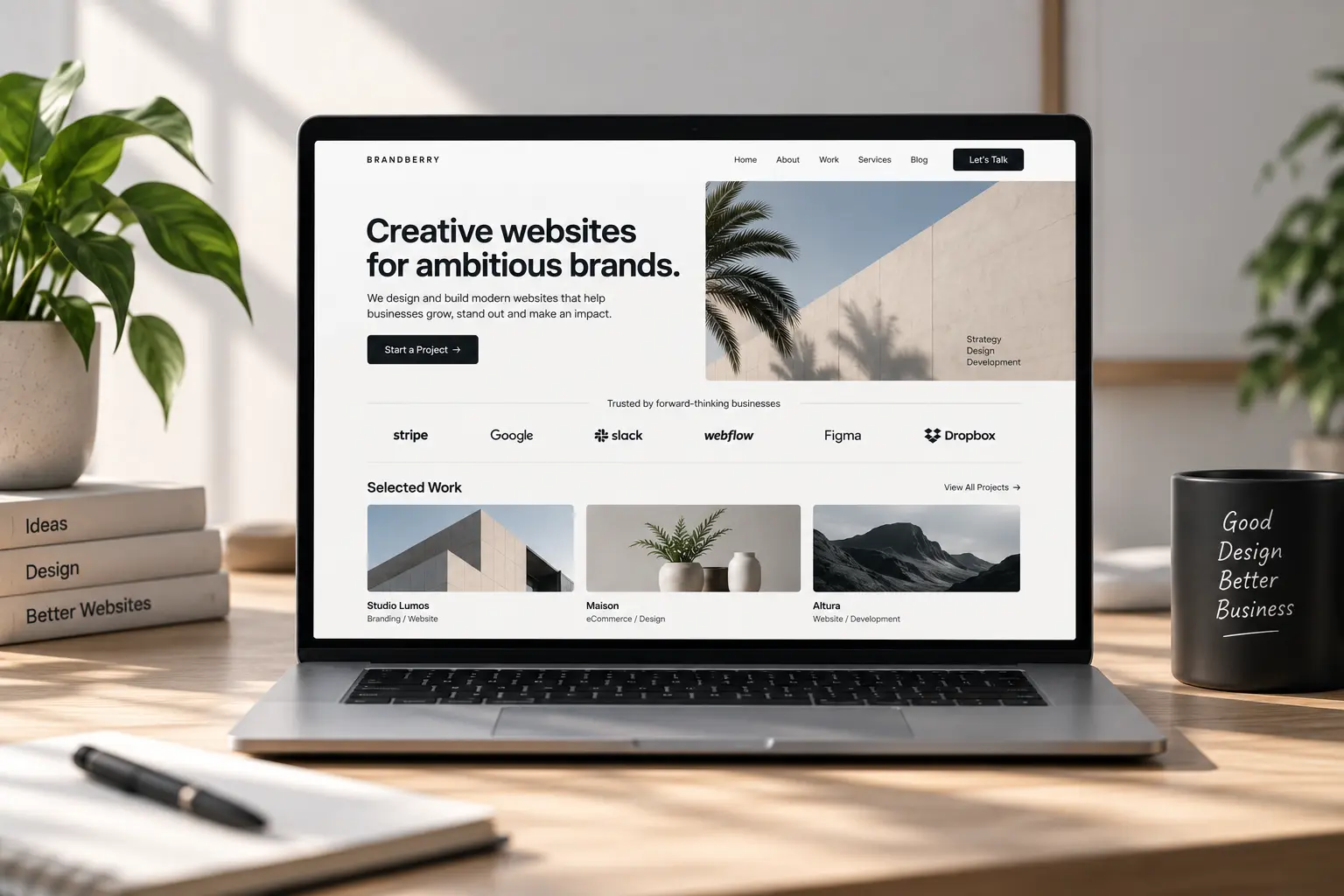
- Hero — who it is for, what you do, one button. Real copy length, not the demo’s eight-word line. Pair with a photo or a product still, not a second headline in 72px type.
- Proof — three client names, one quote, or a single number you can defend. A logo wall of twelve greyscale brands you do not work with anymore is noise.
- Work or product — three projects or three products. Link the heading to the portfolio page or the shop. Do not embed the whole archive.
- How it works — three steps. Save the long process for the about page or a services page.
- Close — the same offer as the hero, pointing at contact. One button.
That is enough for a studio or freelancer. A shop swaps “work” for featured products and keeps the rest. Do not add a testimonial slider, a video background, and a newsletter in the first pass.
What to cut from the demo
Duplicate CTAs (“Get started,” “Learn more,” “See pricing”) that go to different places. Icon boxes that restate the hero. A blog section with “Hello world.” Counters that animate to 1,000+ with no source. If a block is only there because the demo had it, delete it on staging.
Put type and buttons in global styles before you restyle the hero on every breakpoint. On Brandberry, Deep, or Pine, pick the closest home demo and strip it to the list above the same day you replace the logo.
Mobile is the real homepage
The first screen on a phone should still show the offer and the button. A sticky bar plus a huge image plus a hamburger is how people bounce—mobile design mistakes and sticky headers are the usual culprits. Keep the hero short; move extra proof below.
Clients should be able to change the headline and the button label without opening nested containers. That is the same rule as a site easy for clients to edit. Need the homepage rebuilt on a TreeThemes product? Contact with the live URL and the offer in one sentence.



)