

Elementor Pro is often sold as the thing that “unlocks” Theme Builder: headers, footers, single posts, archives, and WooCommerce templates. That is true if the theme is a blank canvas. It is not automatically true if you already bought a premium Elementor theme that ships its own Theme Builder and site templates.
This article answers a narrower question: do you need Elementor Pro if your theme already has a Theme Builder? The useful answer is “for some jobs, yes; for the chrome of the site, often no.” Buying Pro because a YouTube tutorial used it is how stacks get expensive without getting clearer.
If you are still choosing the foundation, start with Hello Elementor vs a premium Elementor theme. Hello without Pro is a content canvas. Hello with Pro is a full visual theme. A designed Elementor theme sits in a third place.
What Elementor Pro actually adds
Pro is more than Theme Builder. The parts people actually buy it for:
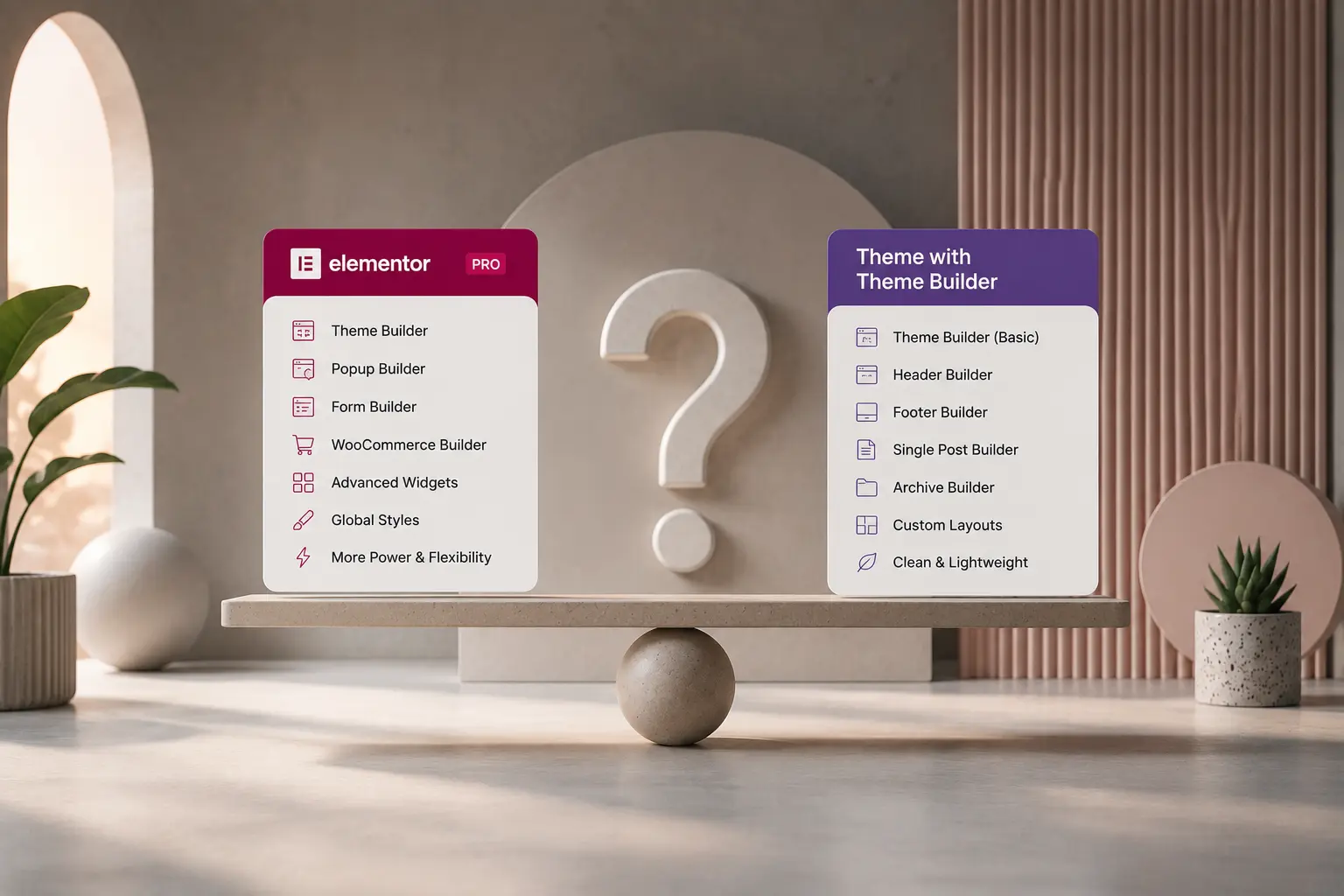
- Theme Builder — header, footer, single, archive, 404, search, product, product archive
- Popup Builder, Forms, and some marketing widgets
- WooCommerce Builder — custom product and shop templates
- Custom Code, custom CSS, and extra professional widgets (posts, pricing, slides, mega menu, depending on version)
- Dynamic tags at the Pro level for more template logic
Free Elementor still designs page content. It does not replace the whole theme shell by itself.
What a premium theme’s Theme Builder usually covers
Themes built around Elementor — including TreeThemes’ Deep, Brandberry, and Pine — typically let you design and assign:
- Headers and footers
- Single blog and, often, single portfolio
- Archives, search, 404
- Sometimes shop and product layouts, or styled Woo defaults you can restyle
That is the same job as Elementor Pro’s Theme Builder for a large share of marketing sites: brochure, agency, portfolio, content sites. You edit those templates visually, set display conditions, and stop living in PHP.
It does not automatically copy every Pro widget, every popup type, or every WooCommerce Builder control. Check the theme. Do not promise a client “no Pro needed” until you have mapped the templates that theme actually provides.
When you can skip Elementor Pro
You can usually skip Pro when:
- The theme’s Theme Builder covers header, footer, blog, and the archives you will use
- Forms are Contact Form 7, native theme forms, or another form plugin you already support
- You do not need Elementor popups as a marketing platform
- WooCommerce, if present, is a small catalog on the theme’s shop templates — see how to build a WooCommerce store with Elementor
- You are not stacking Pro only to get a posts grid the theme already includes
This is the common freelancer case: a designed Elementor theme, one header, a handful of pages, a blog. Pro would duplicate tools you already have and add another license to renew.
When Elementor Pro is still the right buy
Buy Pro (or keep it if you already standardize on it) when:
- The theme is Hello or another canvas with no real Theme Builder of its own
- You need Popup Builder, Pro forms, or a specific Pro widget across every client
- You want WooCommerce Builder for a custom product page the theme cannot do
- The agency already trains everyone on Pro Theme Builder and switching costs more than the license
- You need display conditions or dynamic content beyond what the theme exposes
Agencies that already live in Pro should not rip it out to “save” a license on one project. Consistency across the team beats a slightly cheaper stack on a single site. For how that fits delivery, see agency Elementor workflow.
Do not run two Theme Builders
If the theme assigns headers from its own builder and you also publish Elementor Pro theme templates for the same locations, you get fights: two headers, missing footers, conditions that never win. Pick one system for site chrome.
Practical rule:
- Canvas theme (Hello) — Elementor Pro Theme Builder is the chrome.
- Premium Elementor theme with a builder — use the theme’s Theme Builder for header/footer/singles unless you have a Pro-only requirement. Do not also assign Pro templates to the same display conditions.
Page content can still be Elementor on both stacks. Chrome should have one owner.
Cost is not only the Pro license
Pro is a yearly (or longer) subscription per site or on a higher plan. A premium theme is often a one-time product license with a support window. That is not “Pro is worse.” It is a different commercial shape. If you already pay for Pro on every client, a canvas theme can be rational. If you do not want another subscription per site, a theme that includes Theme Builder is rational. Licensing detail belongs in theme support, licenses, and updates, not in a feature war.
A simple decision
- List the templates you must control: header, footer, single, archive, shop, product, 404.
- Check which of those the theme already builds.
- List Pro-only features you will actually use in the first 90 days (popups, Pro forms, Woo Builder, a specific widget).
- If the list in step 3 is empty and step 2 covers the chrome, skip Pro.
- If step 3 is real, or the theme is a canvas, buy Pro and do not duplicate the theme builder.
Final thoughts
You need Elementor Pro when you need Pro’s products — Theme Builder on a canvas theme, popups, Woo Builder, or a team standard. You do not need it as a default add-on because a tutorial used Hello + Pro. A premium Elementor theme with its own Theme Builder is allowed to own headers and archives. That is the point of buying it.
If you want that foundation rather than a blank canvas, look at the premium WordPress themes and confirm Theme Builder coverage on the product page before you quote a client “Elementor Pro included” or “Elementor Pro not required.”



